PID Control Explained for Robot Builders
Read the post →
Robotics · October 2026
Learn PID tuning by feel on simulated motors before touching real hardware.
 By pankaj · 0 robots
About
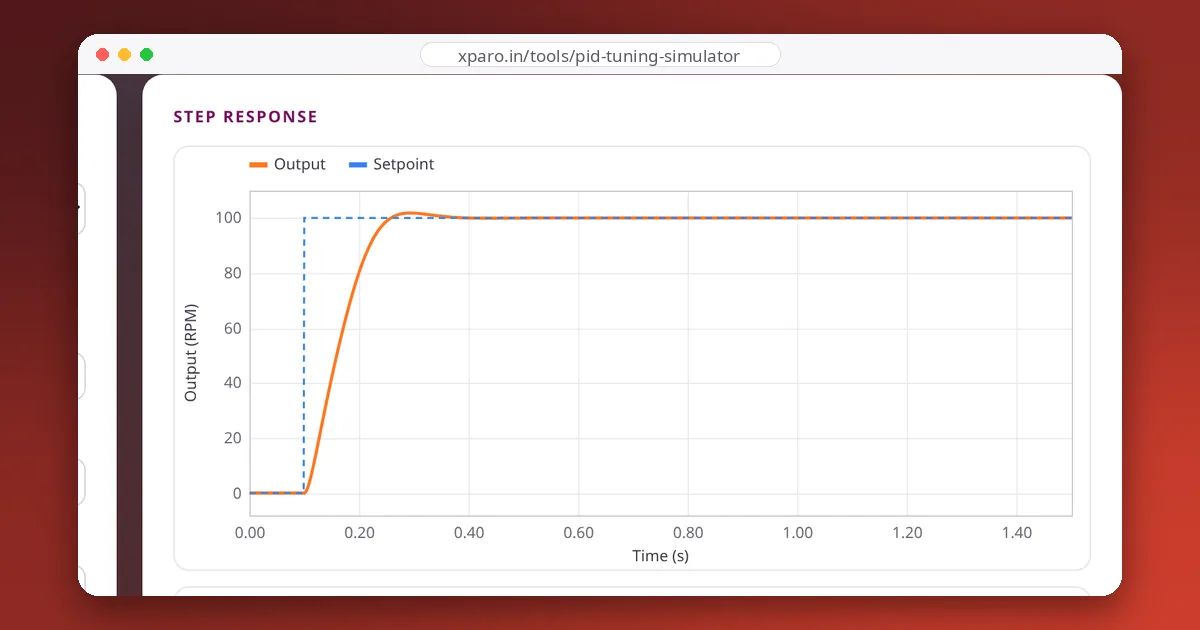
PID control is easy to write down and hard to get a feel for. On real hardware every experiment takes time, a bad gain can damage something, and noise hides what is going on. The PID Tuning Simulator lets you build that feel safely, with instant feedback.
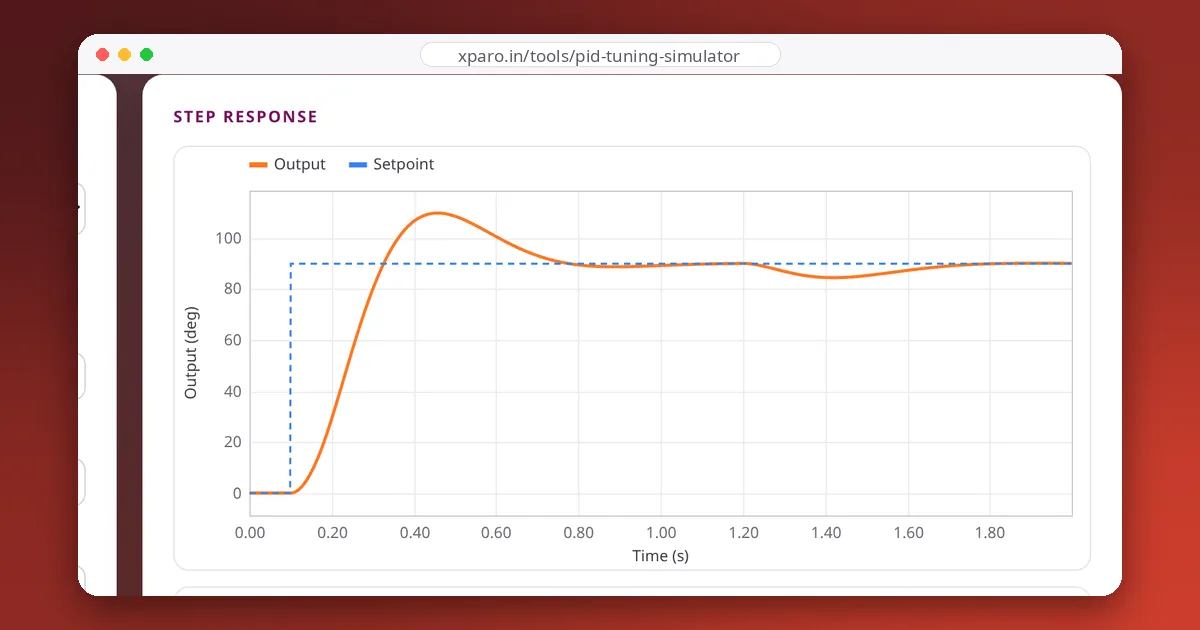
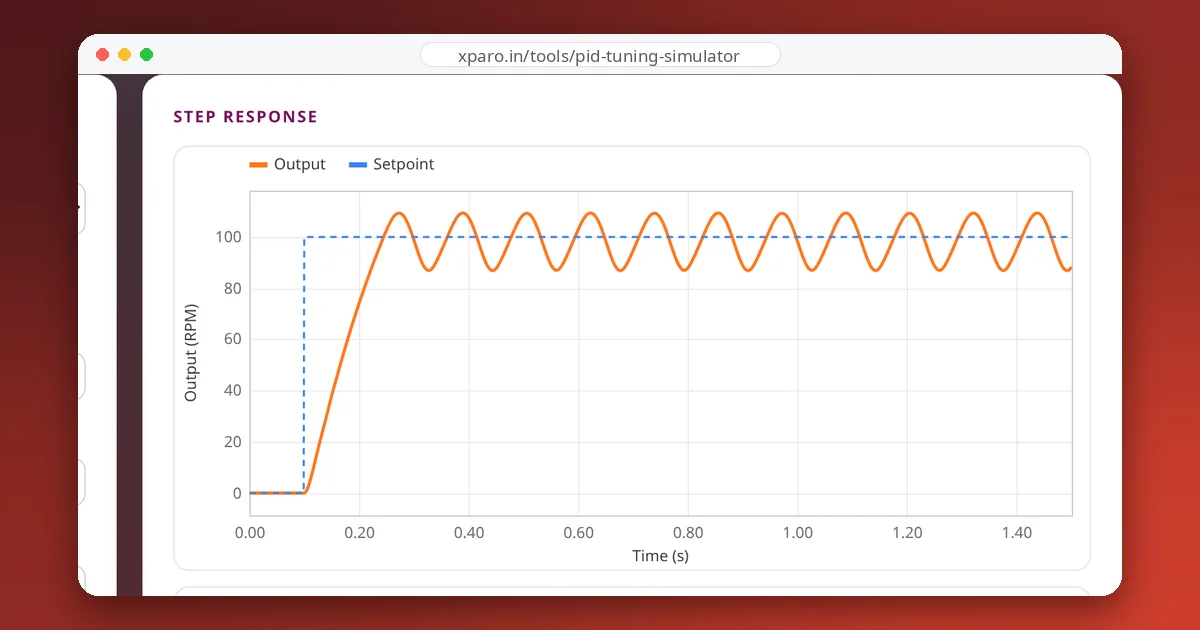
Each system has realistic actuator limits, optional sensor noise and an optional load disturbance. You can switch anti-windup and derivative-on-measurement on and off, change the loop rate and filter the derivative term, and pin a response to compare it with the next one.
The plants are integrated with a fourth-order Runge-Kutta method at a much finer step than the controller. We check the simulator against closed-form results: with proportional control alone, the motor settles exactly 100 ÷ (1 + Kp × 15) RPM short of a 100 RPM target, and the steady error under a load disturbance matches the theoretical value to two decimal places.
Students learning control, makers tuning their first motor controller, and anyone who wants to show a colleague what integral windup looks like. Every setting is saved in the page link, so you can share exactly what you see.
Open the PID Tuning Simulator, then work through the guides below, from the basics to closed-loop motor speed control on real hardware.
Gallery
Team
The team that builds, runs and answers for this project on XPARO.
Updates
Read the post →
Read the post →
Read the post →
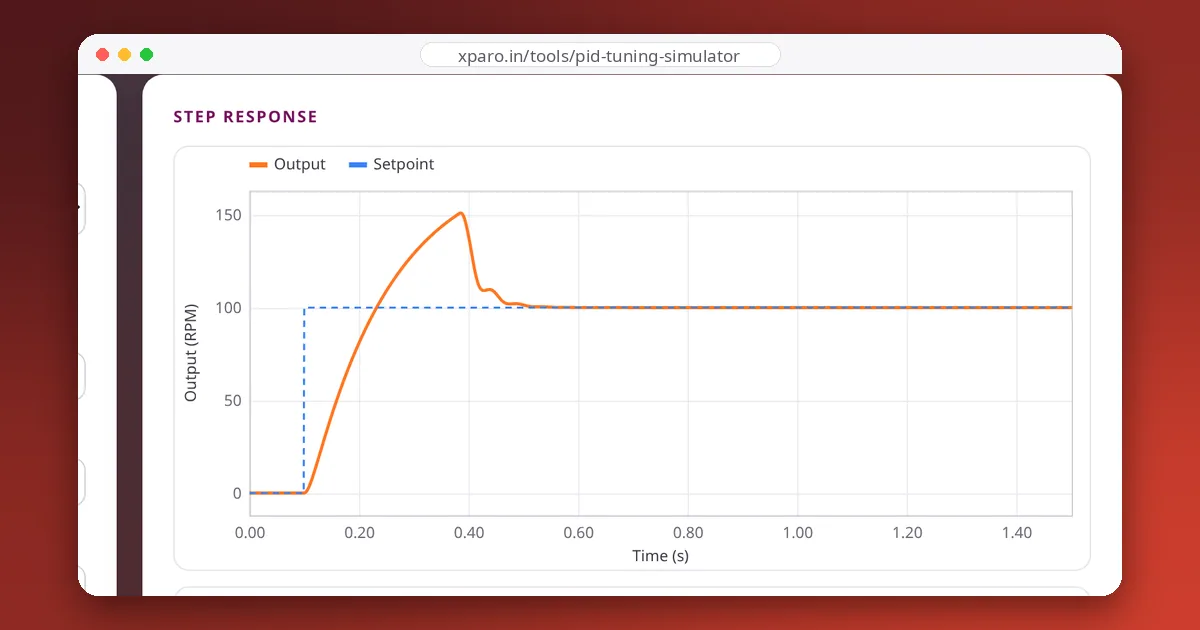
Read the post →
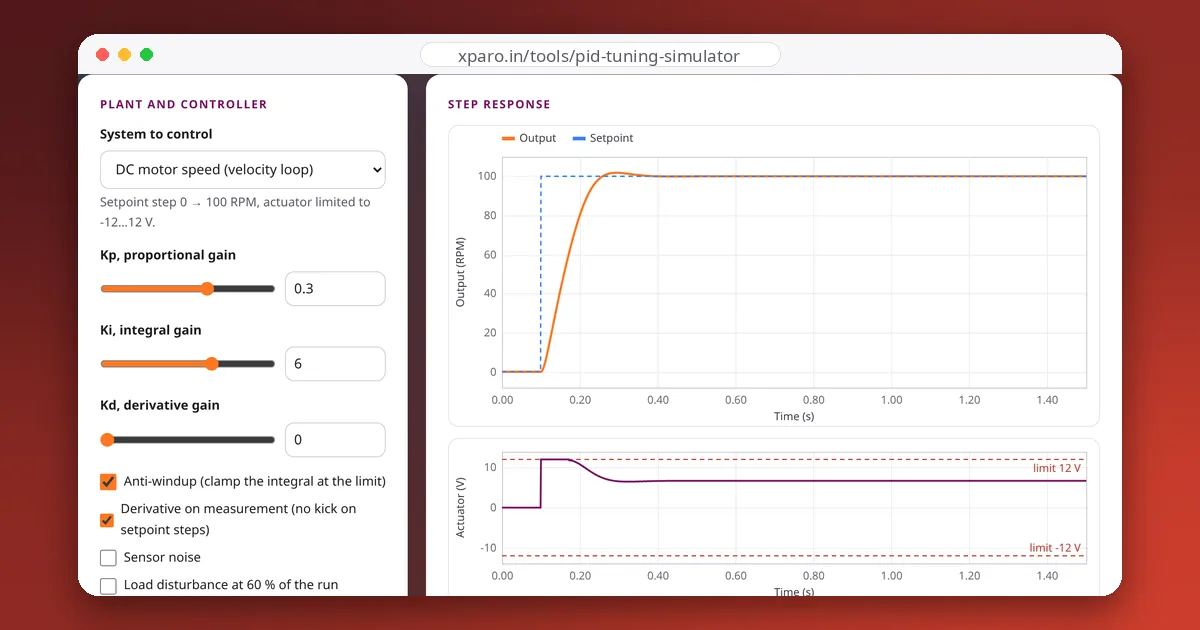
Read the post →
FAQ
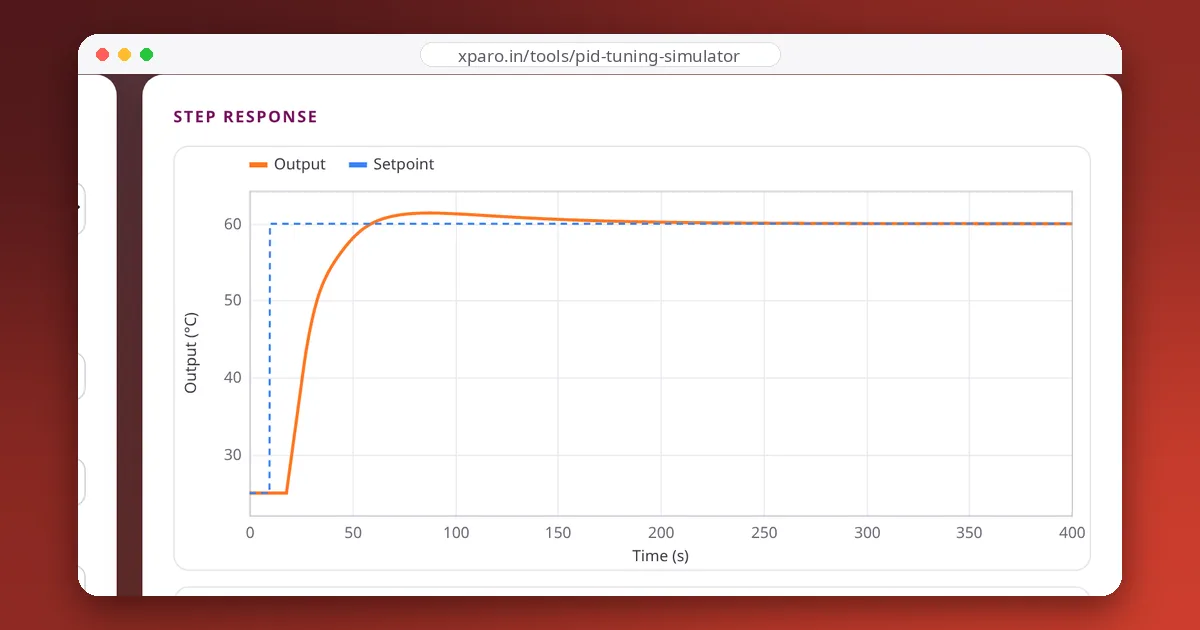
A DC motor speed loop, a motor position loop, a heater with dead time and a lightly damped mass-spring system, each with a realistic actuator limit and optional sensor noise.
They give you the right shape and order of magnitude, not final numbers. Real systems differ in gain, delay and friction, so start from the simulator's insight and finish tuning on the hardware.
Yes. It is free, runs in your browser, and needs no account.
Contact
Questions, ideas, or want to work with the team? Your message goes straight to the PID Tuning Simulator team on XPARO. Add your email if you'd like a reply.