Your account
Page: /profile · Profile in the site menu
Use it to: edit your public profile, check your plan, and reach billing,
password and connected devices.
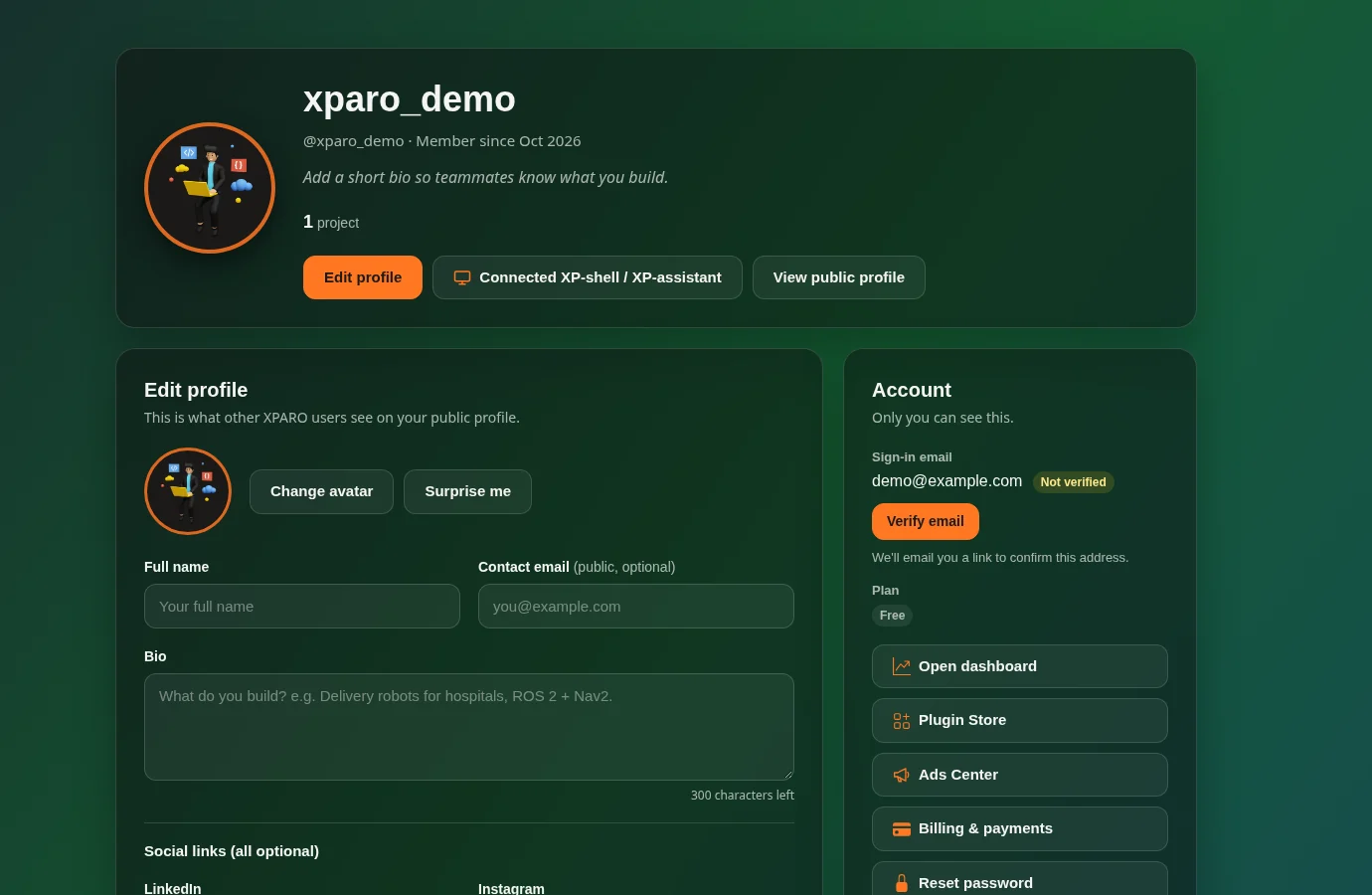
The page has three parts:
Edit profile (what other XPARO users see at /profile/<username>):
avatar, full name, an optional public contact email, a short bio and social
links. Press Save changes.
Account (only you see this):
Sign-in email, with Verify email if you haven’t confirmed it yet;
Plan;
links to the dashboard, the Plugin Store, the Ads Center and Billing & payments (your credit purchases);
Reset password and Log out.
Your projects: every project you belong to, with your role and whether its page is public, linking to its project page and its dashboard.
Connected XP-shell / XP-assistant lists the devices signed in to your
account through the XP-shell apps (/profile/devices), where you can rename
or sign them out.
Credits belong to projects, not to accounts: buy them from a project’s Dashboard page.
