Projects
Page: /dashboard · the Dashboard link in the site menu
Use it to: see all your projects, create new ones, and open one.
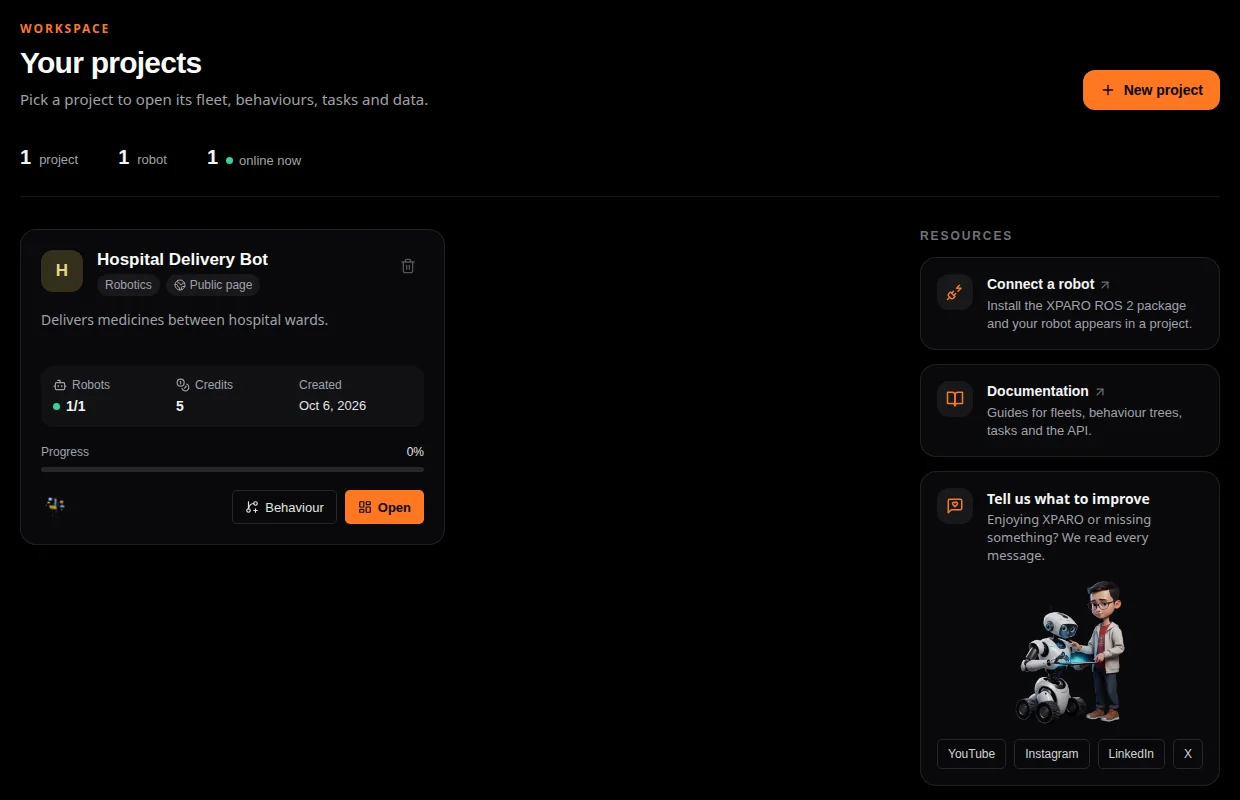
The project picker. The numbers at the top count your projects, robots and robots online now.
A project holds one robot fleet: its robots, trees, tasks, data, team and public website (see How XPARO works).
Each project card shows:
its type (Robotics, Hackathon, Start-up, AI/ML, IoT, Innovation or Default) and whether its public page is Public page or Private;
Robots: how many are online out of all the project’s robots;
Credits: the project’s credit balance;
Progress: a percentage you set yourself on the Website page;
Behaviour opens the project’s behaviour editor, Open its Dashboard page.
Create a project
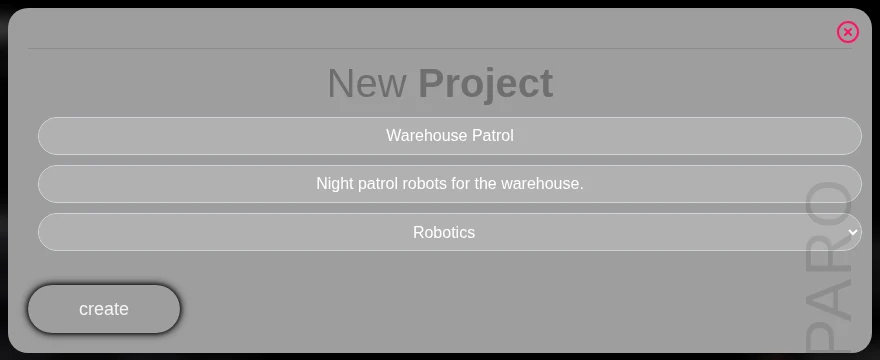
Press New project, fill in a title, a description and the type, and press create. You become the project’s Owner. A new project starts on the free plan with 5 credits.
Delete a project
The bin icon on a card deletes the project after you confirm, with everything in it: robots, trees, tasks, recordings, keys and billing history. Only an Owner can delete a project, and it cannot be undone.
Switching projects
Inside a project, the project name at the top of the sidebar switches
between your projects. Each project page also has its own address,
/engine/<project-slug>/<page> (for example
/engine/hospital-delivery-bot/analytics_task), which you can bookmark or
share with teammates.
