Website
Page: /analytics_website · sidebar website
Use it to: set up the project’s public web page, choose its design, and
manage the project’s team members.
The public page: https://xparo.in/web/<project-slug>
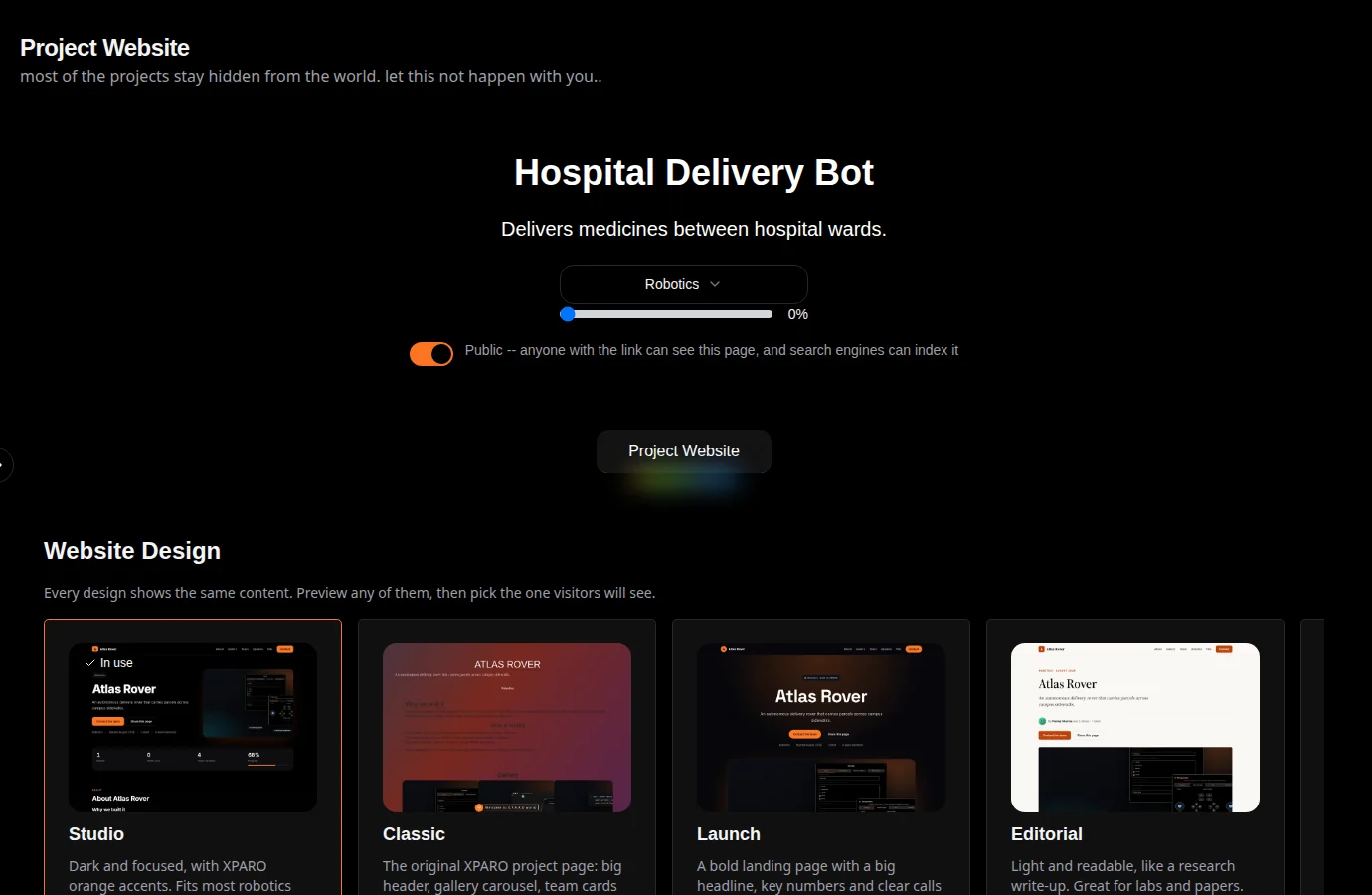
Every project has its own web page, built from what you enter here; no hosting or design work is needed.
Project details
At the top: the project’s title, description, type and a progress slider (the percentage shown on the project card), plus the public switch:
Public: anyone with the link can see the page, and search engines can index it. This is the default for new projects.
Private: only signed-in members of the project can see it; everyone else gets a page saying it is private.
Website design
Six designs show the same content in different styles: Studio (dark, with XPARO orange), Classic (the original XPARO page with a gallery carousel, team cards and a rating form), Launch (a bold landing page), Editorial (light, like a write-up), Showcase (photos and videos first) and Minimal (black on white). Preview opens any of them with your content; Use this design makes it the one visitors see.
Team members
Add Team Member searches existing XPARO accounts by name; pick one to add them to the project. Each member has a role, Owner, Editor or Viewer, which the Owner can change in the member’s card; what each role may do is in the roles table. Only an Owner can add or remove members or change roles. Any member can Leave Project.
Gallery, blogs and FAQ
Gallery: pictures and videos for the page.
Blogs: write posts about the project; they appear on the project page.
Frequently Asked Questions: questions and answers for visitors.
MVP Website Builder
An HTML editor for a small custom page about your robot. Plain text and formatting appear in the page’s About section; HTML with scripts, buttons, forms or video is shown as a live demo in a sandboxed frame on the project page, so it cannot affect the rest of the site.
Viewers can see this page but cannot change it.
